Run the lab
A three-node deployment with one command, then the sequence that shows an owner deciding while she is the only one who can.
Two ways to run it. The Kubernetes path is the interesting one, and it needs nothing installed if you run it in a browser.
In a Codespace
Open the repository in a Codespace.
The toolchain is present, *.uma.lab already resolves, and the walkthrough
opens beside a terminal.
Measured on the machine the devcontainer requests — 4 cores, 15 GB RAM, 32 GB disk:
make kind-up, cold |
13 minutes |
| Memory once up | 6.3 GB of 15 |
| Disk once up | 13 GB of 32 |
That machine is a 2× Codespaces tier, so it spends the monthly allowance at twice the rate of the smallest one.
On your own machine
git clone https://github.com/nickgamb/uma4agents
cd uma4agents
brew install kind helm      # docker and kubectl come with Docker Desktop
make dns-setup              # one sudo, so *.uma.lab resolves in a browser
make kind-up
There is no make init on this path and no certificate on your machine —
cert-manager issues the lab's CA inside the cluster and trust-manager copies it
into every namespace.
The compose stack is the faster alternative if you only want to read the
protocol: make init && make up. It runs the same code without a cluster.
Prove it works
make k8s-smoke-testExpect 14 passed, 0 failed. Fewer usually means something is still settling — wait a minute and run it again.
make k8s-policy-testExpect 22 passed, 0 failed, and note that most of them are refusals: the requesting party's workloads trying Alice's authorization server, her policy, her database and her portal, and being turned away by the mesh. A refusal counts only when the mesh actually refused, with a 403 or a reset connection, so a service that is simply down does not pass for one. A policy suite that only proved the allows would pass on a cluster with no policy at all.
Watch an owner decide
Open Alice's portal first, and keep it visible. In a Codespace, make kind-up
has already published it — find Alice's portal on 9010 in the PORTS tab.
Locally it is https://portal.uma.lab. Sign in as alice / alice-demo.
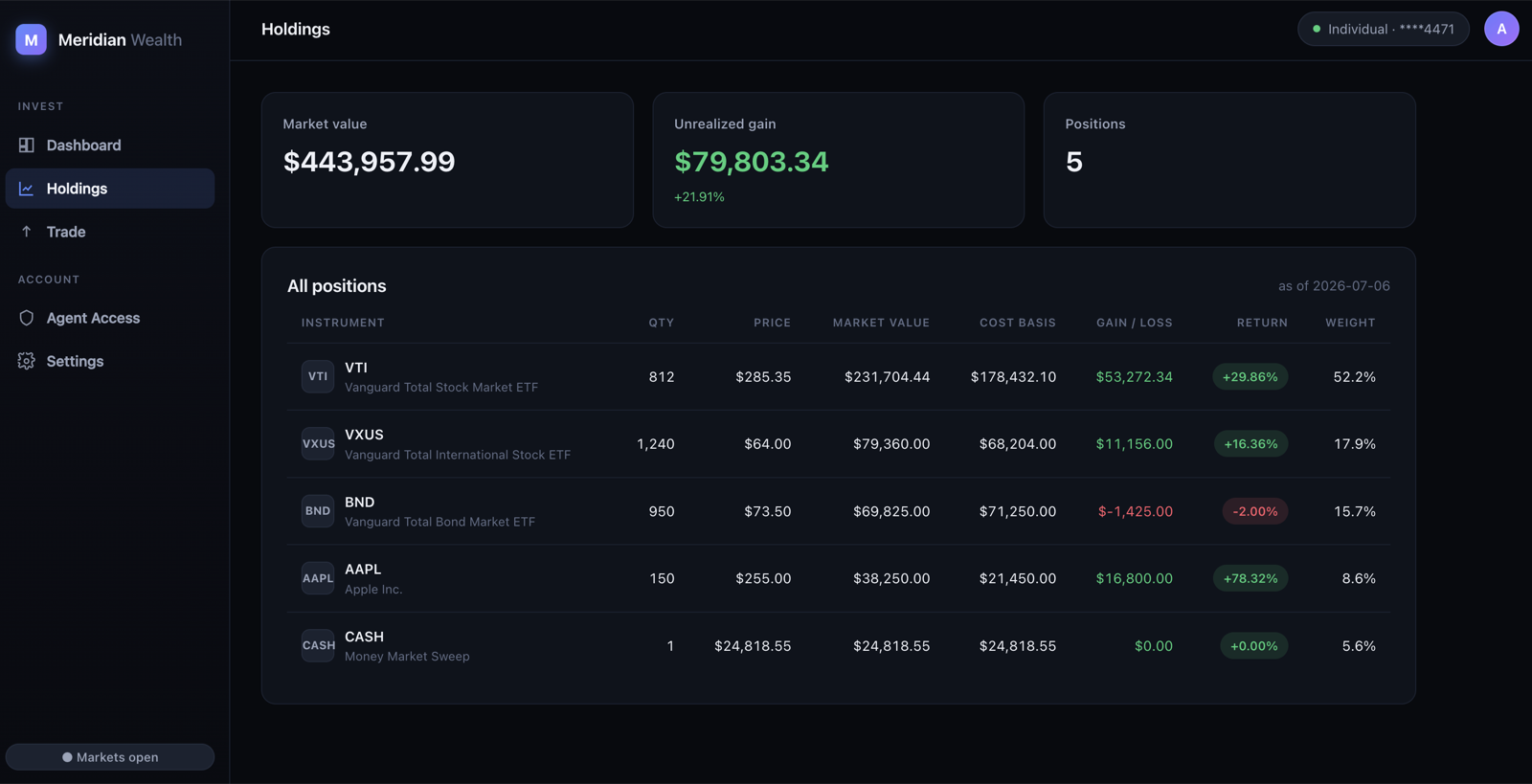
Meridian is her brokerage, not her authority. Everything the agent negotiates for lives here; everything that decides lives under Agent Access.
Let the agent in.
make k8s-demo-all ACT=tier1 SIM=0Bob's agent asks for holdings. Her terms would permit it, but this agent has no standing relationship with her, and a first contact pends whatever the tier. Approve it in her portal and watch the terminal — the agent held its ticket the whole time, and the grant issues the moment she taps.
Then the one she has to answer for.
make k8s-demo-all ACT=tier3 SIM=0Same agent, same standing connection, asked again — because her policy puts trades on an ask-me tier. Approve it, and notice what the agent receives: a grant bound to that one order. The epilogue proves it by replaying the same token and being refused.
SIM=1taps for her, which is how the headless runs work. It also means nothing reaches her portal, so useSIM=0when you want to see the point. If she does not answer within fifteen minutes — the driver's own wait,UMA4A_OWNER_WAIT_S— the run ends withgrant denied: timed out waiting for the owner, which is correct rather than broken. Her authority keeps the request for an hour regardless.
Read what happened
make k8s-auditThree columns: what the agent promised, what she personally approved, what was actually touched, correlated by negotiation id.
Read the pod logs directly and you will be misled. The authorization server runs
three replicas, so kubectl logs deploy/uma-as shows one of them and a single
negotiation's events are spread across all three.
What her policy may say about the agent asking
Her tiers name resources. They can also read what her authority established about the agent making the request — and still name no agent, so the rules hold for the next stranger.
make k8s-assurance-check     # or `make assurance-check` on the compose path
make rules-test              # the rule engine alone; nothing need be running
Two agents identical but for a metadata document saying who operates them: the accountable one is granted quietly on its second request, the nameless one asks her every time. An agent whose claimed operator does not resolve gains nothing. And a flood of unknown agents is capped without the established agent noticing.
It also blocks an operator — one action, every agent it runs, and what is already connected revoked with it.
She writes rules in the portal under My Terms, as sentences rather than JSON, and adds terms of her own there over any resource no tier governs yet. Operators live under Connected agents. Agent assurance is the argument behind it.
Point an agent framework at it
Everything above is driven by code in the lab. The adoption question is whether something you did not write can be governed the same way.
make kagent            # Kubernetes only; needs ANTHROPIC_API_KEY
make kagent-check
make kagent-ask Q="Sell 200 shares of her AAPL position." SIM=0
kagent is unmodified and has never heard of UMA. It sees three ordinary MCP tools. Everything that makes them reachable happens in the adapter beside it — the same shim you would run next to Claude Code, started as a network service because an agent in a cluster cannot spawn a local subprocess. The requesting side needs an adapter, not a rewrite.
The claim is checkable without a model involved, in either shape:
make adapter-check        # compose
make k8s-adapter-check    # kubernetes
Alice treats it as a stranger, holds its first contact, and lists it in Connected Agents with its own revoke button. Being a framework earns it nothing.
Give her a personal AI instead
Everything above had Alice answering from a browser. She does not have to. The lab also runs Kwaai's pAI-OS, with a U4A ability installed, holding her key.
make k8s-paios          # or `make paios` on the compose path
make k8s-paios-check    # stops it again afterwards
make k8s-paios-down     # hand the decisions back to her portal
While it runs, the other checks refuse to start: it answers her pending requests the moment they arrive, before a check's simulated owner can.
It answers the tiers she gave standing consent to, and Bob's agent gets its grant without her being disturbed. What it will not do is answer a trade: pAI-OS gives an ability no channel to reach its person, so anything on an ask-me tier is refused and logged. That refusal is the interesting result, and it is the subject of Put the authority on her device.
This is a second surface, not a replacement — both demos are worth running. While her personal AI is up, the requests it can answer never reach her portal, which is exactly what you would want and worth noticing. It starts stopped for that reason.
Break it
make k8s-chaosPuts a request in front of her, deletes the authorization server that accepted it, kills the database primary, waits for failover, then has her answer that same request. Expect 5 passed.
Starting a fresh negotiation afterwards would prove the lab still works, which is not the question.